Resetting your password

If you have already set up your account and want to reset your password, please see the guide below.

HOW TO GUIDE

1. If you would like to reset your password, click the forgot password link.

Forgotten password image embed 1
SSO FAQs reset email

2. You will be redirected to this page:

Forgotten password image embed 2
SSO FAQs new password

3. Enter the email that is associated with your Brentford FC ticketing account.

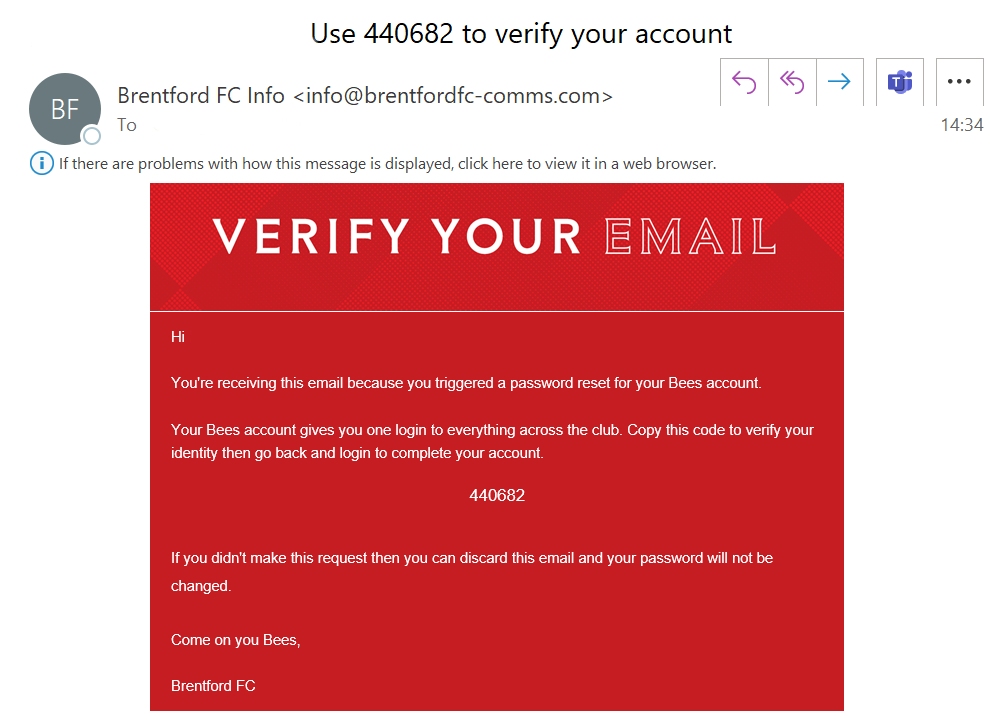
4. This will trigger an automatic email that contains a code. This will enable you to reset your password. If you do not receive this email, please check your spam folder, or make sure you have added [email protected] to your safe senders list. The email you will receive looks like this:

Forgotten password image embed 3
autofill

Please note: Emails on mobile phones can come through instantly, but whether they do depends on several factors:

  • Type of Email Account

    • Push Email: Services like iCloud, Exchange, http://Outlook.com, and some Gmail setups use push, meaning the server sends new emails to your phone instantly.

    • Fetch Email: If your account uses IMAP or POP with fetch, your phone checks for new emails at

      intervals (e.g., every 15 minutes).

  • Email App Settings

    • Apps like Gmail, Outlook, or Apple Mail have settings for:

      • Push (instant)

      • Fetch (every 15/30/60 minutes)

      • Manual (only when you open the app)

  • Network Connection

    • Instant delivery requires an active Wi-Fi or mobile data connection.

    • Weak or no signal can delay email delivery.

  • Battery/Power Settings

    • On iPhones or Android phones, battery saving modes may pause background syncing, delaying email delivery.

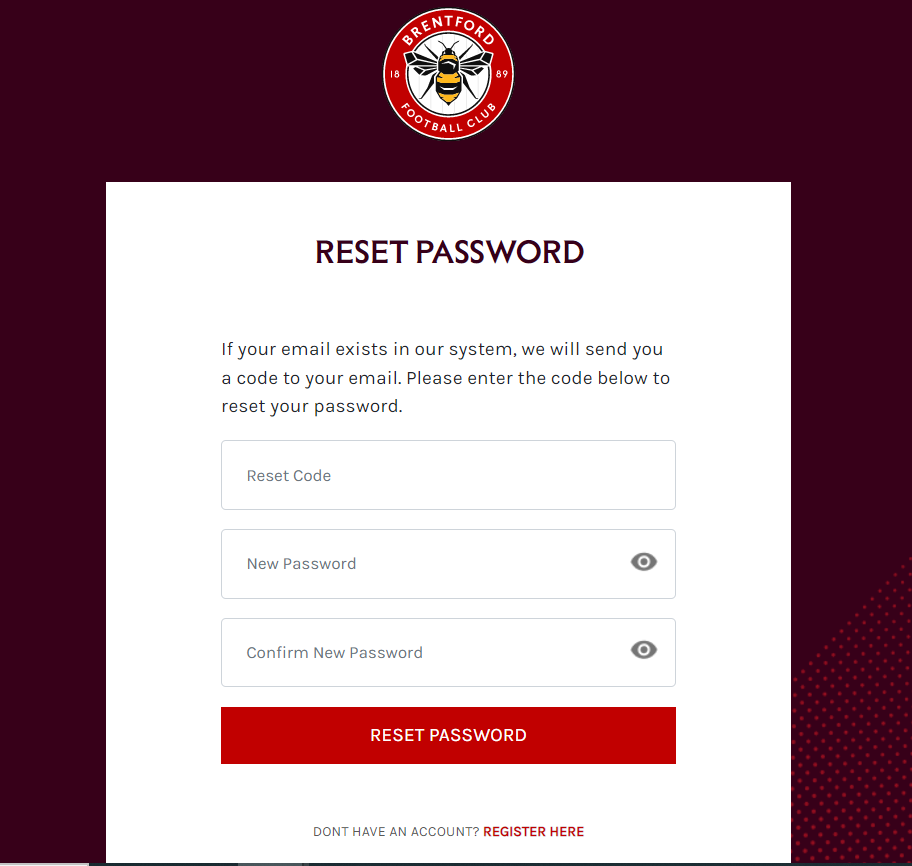
5. Enter the code and a new password of your choosing as shown below:

Forgotten password image embed 4
SSO FAQs signed in website

Please note, your browser may automatically populate the reset code box, so be sure to delete any pre-populated email addresses or passwords.

Forgotten password image embed 5
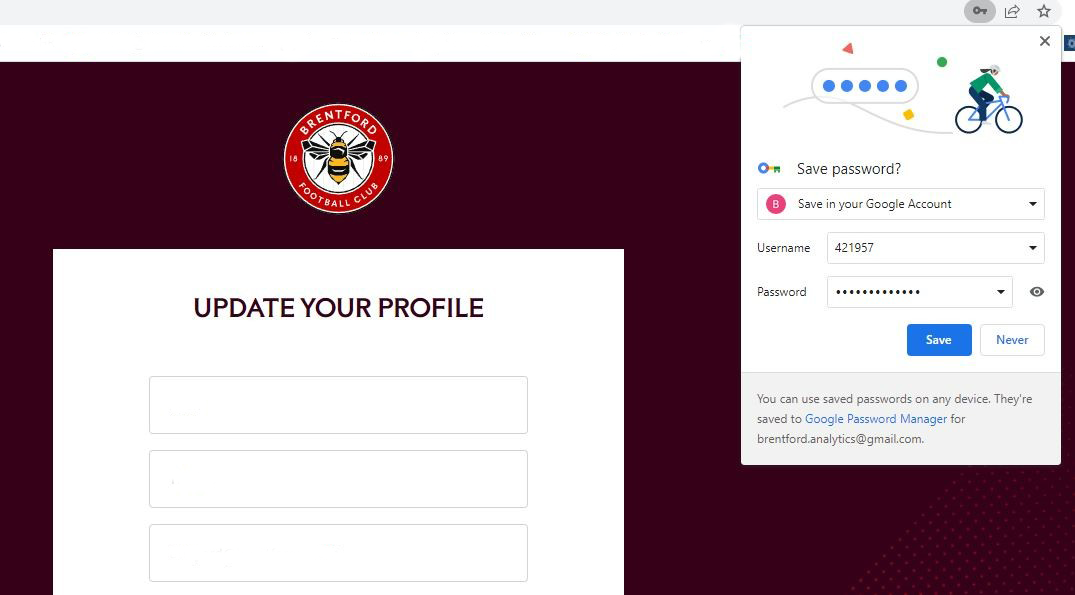
SSO FAQs, your account details

Your browser may prompt you to save your password, it may populate the username field with the code you used to verify your account. Make sure to manually change this to your email address before saving your password.

6. After updating your profile, you will be directed to the Brentford FC home page, and your log in status will be shown top corner.

Forgotten password image embed 6
mobile device sso graphic

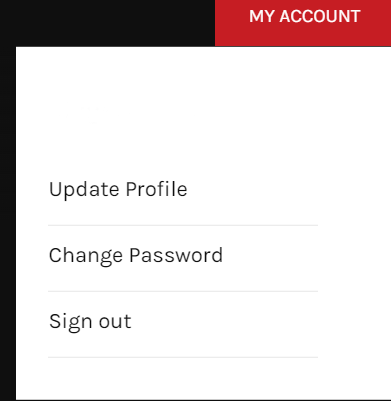
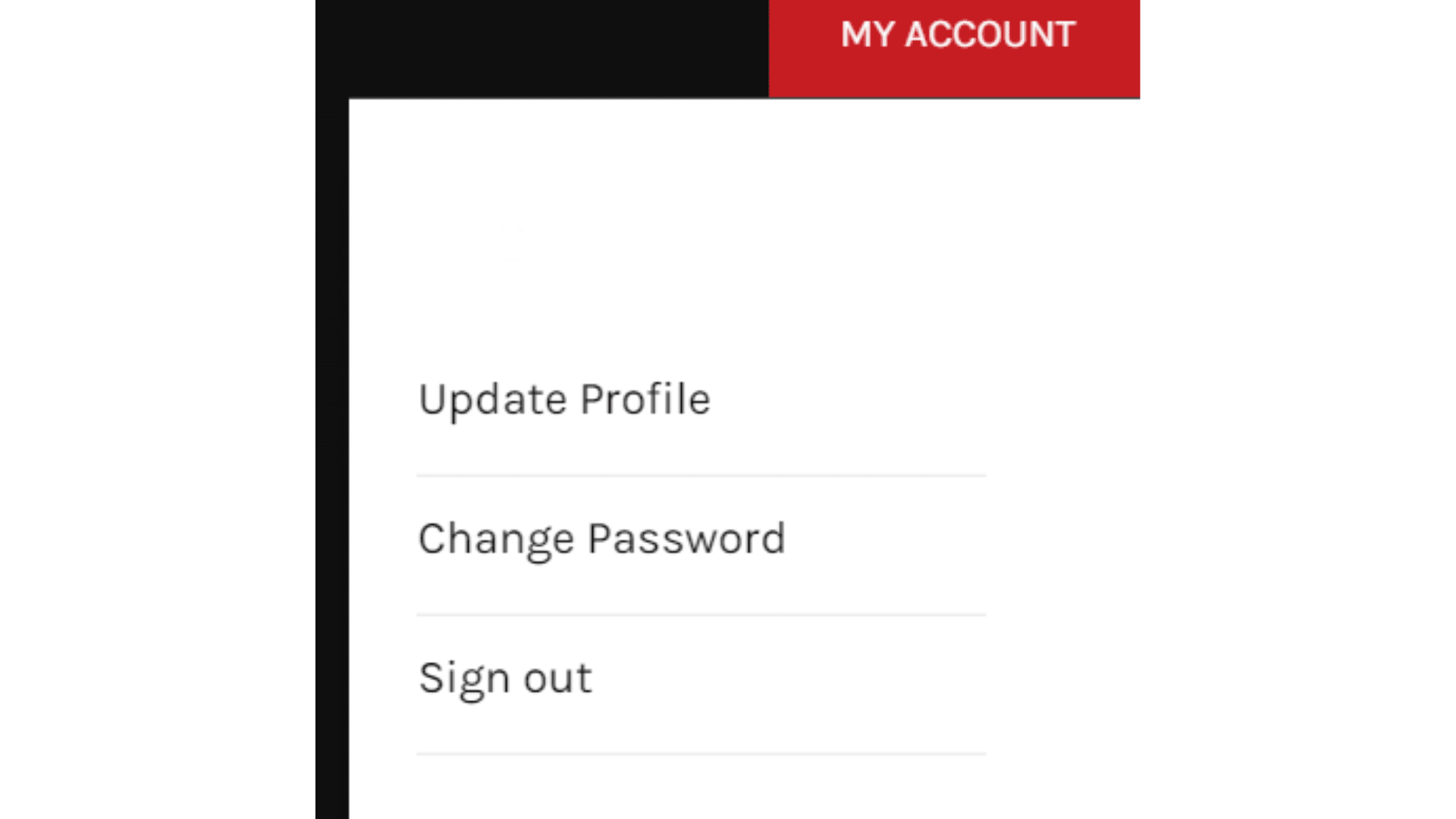
7. You will be able to see your account details.
Forgotten password image embed 7

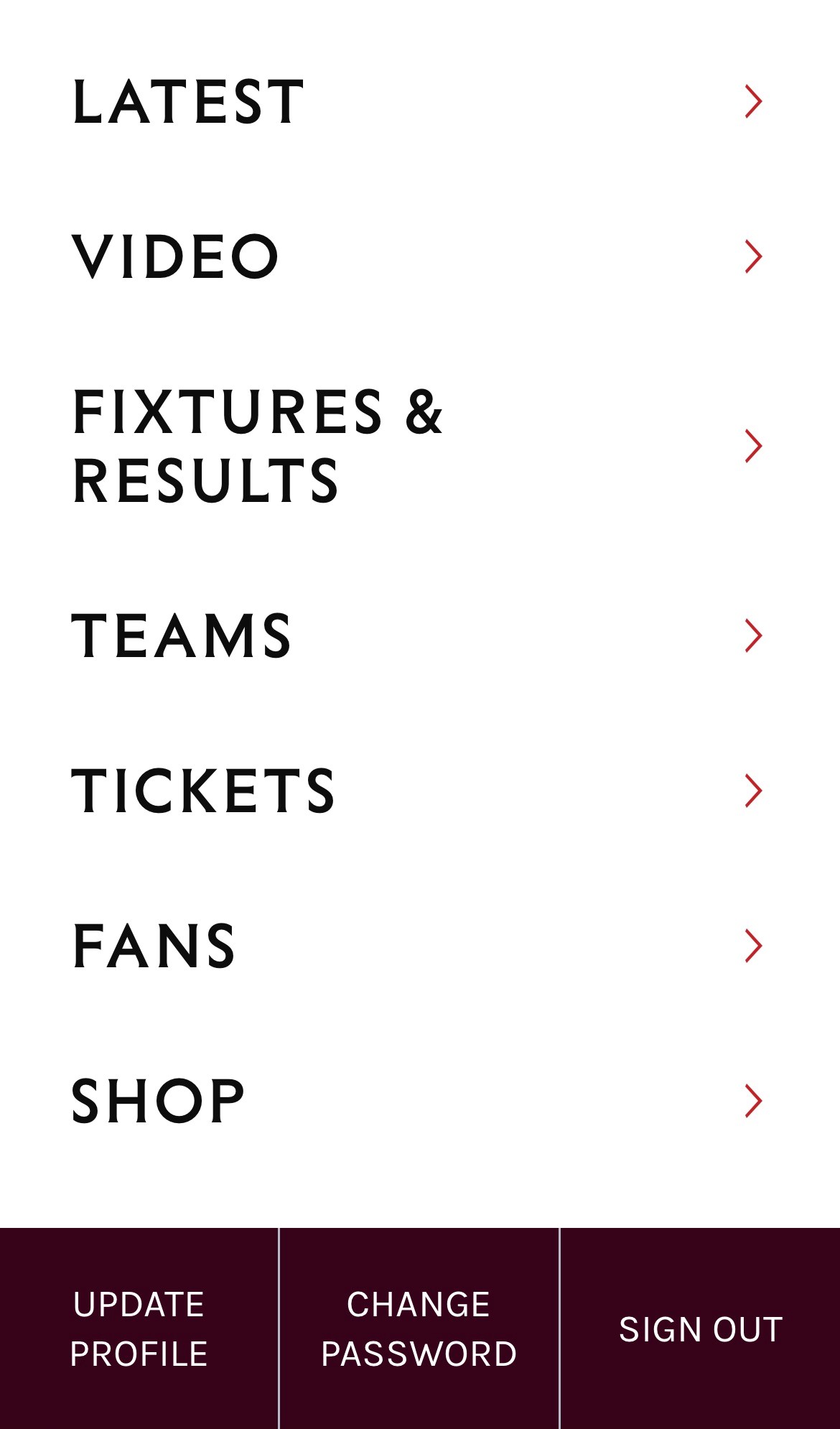
On mobile, this will look like this:

Forgotten password image embed 8

Please note, that if you are on mobile, you must click the 'more' menu to see your account options.

Your log ins for Ticketing, The Bees Store and the Brentford FC App will remain the same until 31 October. On 31 October logins will switch to single-sign-on. From this date you must create your Bees account before you can buy tickets, merchandise or log in to the Brentford FC App. You will need to use your new Bees account login details from this point.

FAQs

A single sign-on solution means that fans only have to log in once, with the same details for Ticketing, Video, Bees Store and the Brentford FC App. All details and communication preferences will be managed in one place. 

On 31 October logins will switch to single sign-on. From this date you must create your password before you can buy Tickets, merchandise or log in to the Brentford FC App. You will need to use your new Bees account login details from this point. 

A Bees account will give eligible fans access to exclusive content, audio commentary and more new features coming soon. 

Set up your Bees account

From 31 October your new Bees account will be used to buy Tickets, merchandise or log in to the Brentford FC App. You will need to use your new Bees account login details from this point. 

A Bees account will give eligible fans access to exclusive content, audio commentary and more new features coming soon. 

Set up your Bees account

To move to the single sign-on solution, you are required to create your password to ensure the security of your account.  

To verify your account please read our guide. 

Set up your Bees account

On 31 October logins will switch to single sign-on. From this date you must create your password before you can buy Tickets, merchandise or log in to the Brentford FC App. You will need to use your new Bees account login details from this point. 

Prior to this date you should continue to use your existing log in details.  

Set up your Bees account

If you have any problems creating your password please read through these FAQs and how to guides. If you are still having problems, please contact [email protected] 

From Monday 17 October fans will be invited to register for single sign-on via email. To ensure a smooth transition to your new Bees account, fans will be invited at different times during the week commencing 17 October. 

This may mean that you receive your email at a different time to your friends & family. 

From Monday 17 October fans will be invited to register for single sign-on via email. To ensure a smooth transition to your new Bees account, fans will be invited at different times during the week commencing 17 October. 

This may mean that you receive your email at a different time to your friends & family. The timeline for this process can be found at the top of the page.  

If you are a Member of Season Ticket Holder and have not received your invite by Monday 24 October, or a fan with a ticketing account and have not received your invite by Monday 31 October, then please click here to set up your account.  

To ensure you receive these emails, make sure you have added [email protected] to your safe senders list. 

If you are still having problems, please contact [email protected] 

Set up your Bees account

If you do not receive an account verification email, please check your spam/junk folder, or make sure you have added [email protected] to your safe senders list. 

If you are still having problems, please contact [email protected] 

A single sign-on solution means that fans only have to log in once, with the same details for Ticketing, Video, Bees Store and the Brentford FC App. All details and communication preferences will be managed in one place. 

On 31 October logins will switch to single sign-on. From this date you must create your password before you can buy Tickets, merchandise or log in to the Brentford FC App. You will need to use your new Bees account login details from this point. 

A Bees account will give eligible fans access to exclusive content, audio commentary and more new features coming soon. 

When you log in to any one of these websites you will be directed to login via the Bees account single sign-on page. This will look different to the separate login pages you saw before. Your accounts showing your order history, shipping addresses etc. Will remain the same and be accessible once you have logged in. 

Set up your Bees account

If you have successfully set up your Bees account, you will see the My Account button at the top right of the brentfordfc.com homepage. From here you will be able to update your profile, change your password and sign out should you need to.  

For what this looks like please reference the ‘Setting up your Bees account’ how to guide. 

Anyone with a current online ticketing account will be able to set up and verify their Bees account. If you do not have a Bees account you can register for one by clicking here.

You can register for an account by clicking here.

On 31 October log ins will switch to single-sign-on. From this date you must have created your password before you can buy Tickets, merchandise or log in to the Brentford FC App. You will need to use your new Bees account login details from this point. 

Set up your Bees account