How do I pay? What payment methods are accepted?
Payment is made online and may be made using a variety of credit and debit cards, which are listed on the website http://brentfordfccentenarywall.co.uk. Your credit/debit card details will be transmitted via the web to a secure payment gateway (Trust Payments). All credit/debit card holders are subject to validation checks and authorisation by the card issuer.
Your transactions will show as Briconomics Fundraising Ltd on your bank statement.
Supporters can check out as a guest without the need for registering on the website. However, you will be asked to enter your address for security purposes. If you order a memento, you will be asked to provide a delivery address.
How do I upload my photograph?
Head to http://brentfordfccentenarywall.co.uk and locate the link/button to purchase. From here, click ‘Submit your photo’. Once the page loads, click on the ‘I have a photo to upload' icon to upload your photo. When your photo has been successfully uploaded, you will be automatically forwarded to the next step. Depending on the size of your photo, it may take some time for your image to be uploaded. Do not refresh the page during the upload process. Information on optimum photo sizes can be found below.
When your photograph has been uploaded, it will be displayed on the screen and can be moved, cropped, or rotated by dragging your cursor. When you are happy with your photo, select the ‘crop’ button and your edited image will be displayed.
PLEASE ENSURE YOUR PHOTO IS LANDSCAPE. PHOTOS UPLOADED IN THE WRONG ORIENTATION WILL BE REJECTED.
Supporters can change their image as many times as they like prior to confirming their order by selecting the ‘Upload new image’ button. This can be found to the left above your image. However, once you have confirmed your order, your image can no longer be changed or amended.
By uploading your photo(s), you are agreeing to your image featuring on the wall and that:
a) You own the rights to any images you upload
b) All persons featured in the image have given their consent to their image being used in this way
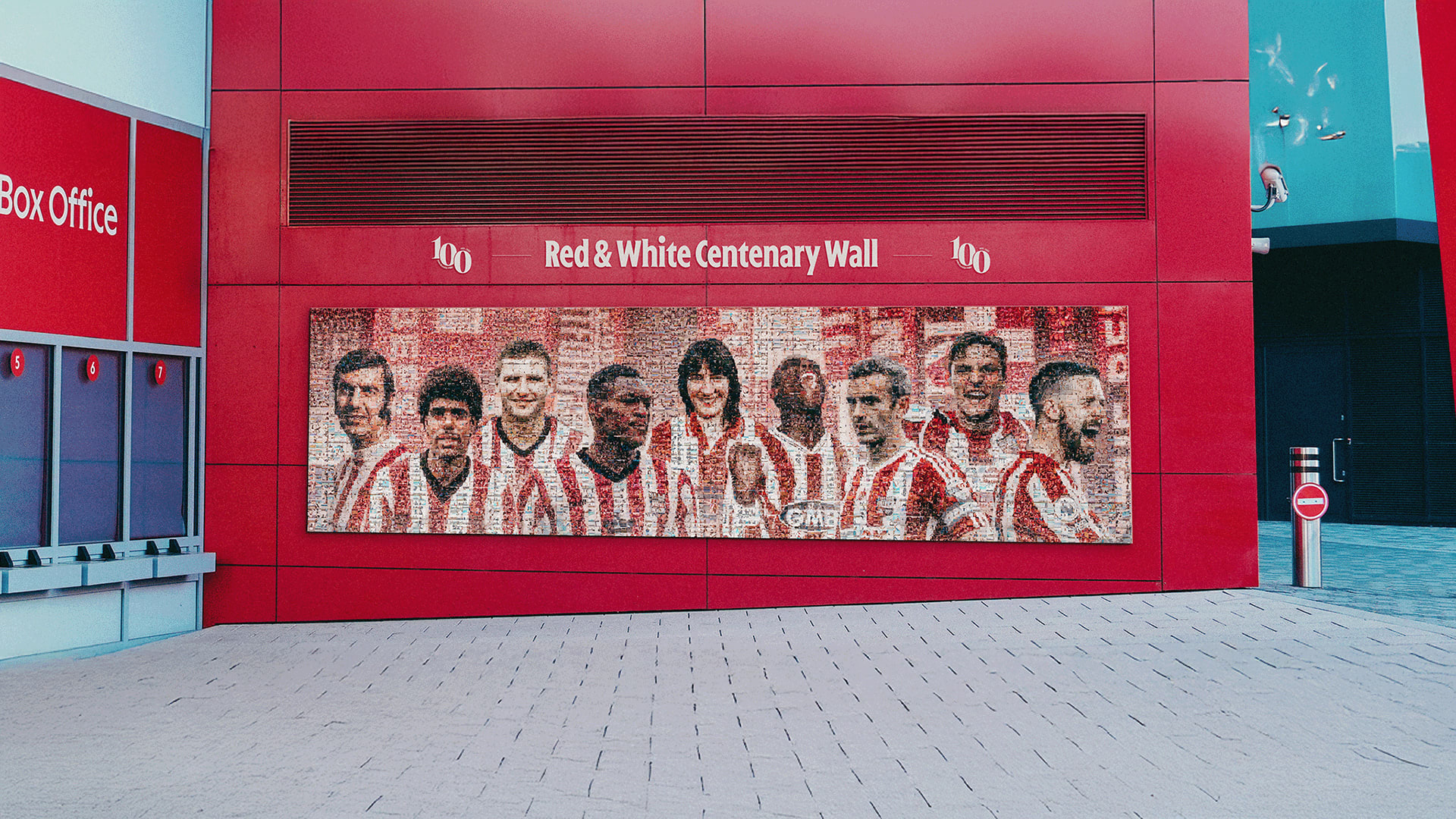
c) Briconomics and Brentford Football Club can re-colour and manipulate your image, if necessary, to fit it into the most appropriate slot within Brentford Fan Wall mosaic
Please note, we cannot guarantee the location of your photo as the software will colour-optimise and allocate your image in the position where it best fits the overall photomosaic image.
What photo types/sizes can I upload? Can I upload a photo from my phone?
You can upload JPEG and PNG photos (files ending in .jpg, .jpeg or .png). Your image should be landscape and between 500kb – 5mb.
Please note, iPhones save images internally as an HEIC file, which is a format specific to Apple. You will need to convert your image from an HEIC file to a jpeg before uploading. Free converter tools/software can be found online.
To check a photo’s file format and size on an android phone, look for a ‘details’ button or menu option in your photo app. If you cannot see this, try holding down your finger on the image, as this often opens more options.
To check a photo’s file format and size on a PC, right-click on your photo and choose ‘Properties’ from the menu that appears. In ‘Properties’ you will be able to view the format and the size.
The larger your photo, the longer it will take to upload. Do not refresh the screen during the upload process. If you need to reduce the size of your chosen image, software/tools to help you to do this can be found online.
Will photographs be vetted? What happens if my image is rejected?
All photographs will be vetted to ensure they are suitable and that they do not feature content that is derogatory, discriminatory, obscene, inappropriate, indecent, pornographic, seditious, offensive, defamatory, threatening, liable to incite racial hatred or acts of terrorism, menacing, blasphemous or in any way considered explicit. We reserve the right to withdraw your photo should we deem that it does not comply with our restrictions and/or you intended to cause insult, embarrassment or offence to an individual, group or organisation. If we reject your photo, you will be informed by email and you will be offered the opportunity to upload a new image. Any new images uploaded will be subject to the same checks.
By submitting an image and/or message to be used on the Brentford red & white centenary wall and any associated product/s, you warrant that you own the intellectual property rights to your image and message (if applicable) and such submission and envisaged use on the red & white centenary wall will not infringe the rights of any third party. Also that you provide the licences set out in the Briconomics terms and conditions and Brentford Football Club Limited’s privacy notice and accept the use of personal data (including any image you provide to be included in a Product). For full terms and conditions, click here.
Can I change my photo?
You can change your photo an unlimited number of times prior to confirming your order. However, once your order has been confirmed, you can no longer change your photo. Please ensure that you are entirely happy with your image before you confirm and complete the submission process.
How will I know my place on the red & white centenary wall is confirmed?
Once you have submitted your photograph and successfully placed your order, you will receive a confirmation email. You can review your order and download your invoice by heading to the ‘FIND MY ORDER’ section here. To do this, you will need your email address and order number. You will be able to download your E-Certificate from the ‘FIND MY ORDER’ section once your photo has been vetted. See ‘What is an E-Certificate?’
What is an E-Certificate?
Once your photo has been vetted and approved, we will send you an email inviting you to visit the ‘FIND MY ORDER’ section of https://projects.briconomics.com/BRICS/APP/Store/#/Brentfordwall/find-your-photo]. By entering your email address and order number, you will be able to download an E-Certificate that will be proof of the image you uploaded.
I’ve changed my mind on the image I submitted as part of my order, can I change it?
Once your order has been confirmed and your image vetted and approved, you can no longer change your photo. Please ensure that you are entirely happy with your image before you confirm and complete the submission process.