The Brentford FC Official App

App Webpage Header

Get the Brentford FC Official App!

Click the link below on a mobile device to access digital tickets
Shop_web_update_fwvasm

The Brentford FC Official App

Download the app to get closer to the club than ever before, with new and enhanced features to try. Get latest news, live match updates, on-demand video and app exclusive pre-season friendly streams. The app is the only place to access digital tickets for the 2025/26 season. The Official Brentford FC app is a must for all Bees fans!

Download from the App Store or Google Play Store now

DigitalTicketingLaunchWebpageHeader_jrqzfg

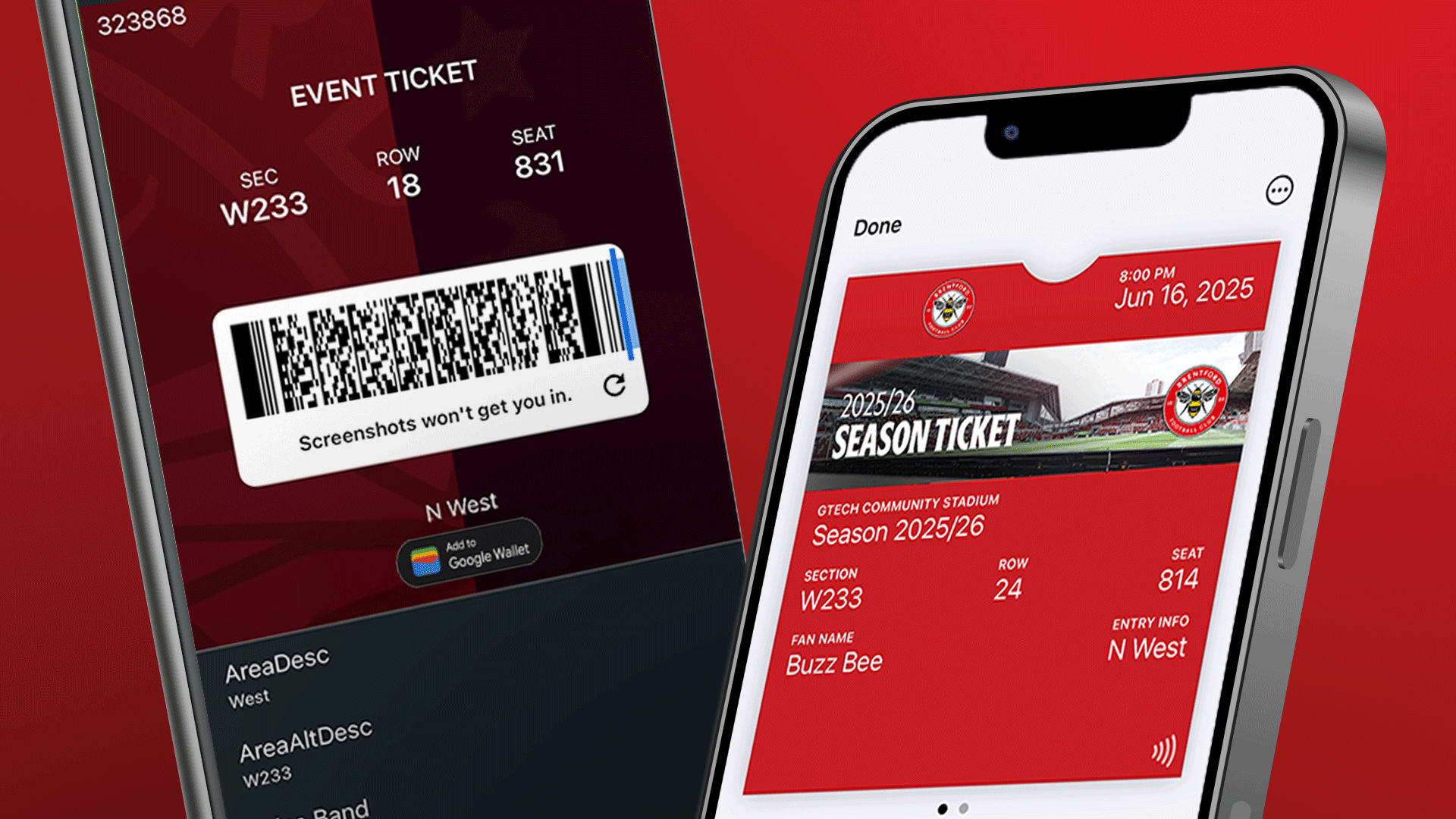
Digital Ticketing

New for 2025/26

For the 2025/26 season, tickets will be digital and accessed via the Official Brentford FC app. For information on how to access, download and manage your digital tickets, visit our How to Guides.

Please make sure you have the latest version of our app installed to access your digital tickets.

BeePlay_web_update_m49act

Video

Watch video content on the go on your device! Keep an eye out for app exclusive streams and app exclusive extended interviews.

XCarousel-2_copy_ds10ij

Match Centre

Get closer to the action with our enhanced match centre. Keep up to date with live match stats, team formation and live commentary. iOS users can stay up to date with Live Match Activities on your lock screen.

WebpageAssets-AR-16x9_w1tfyw

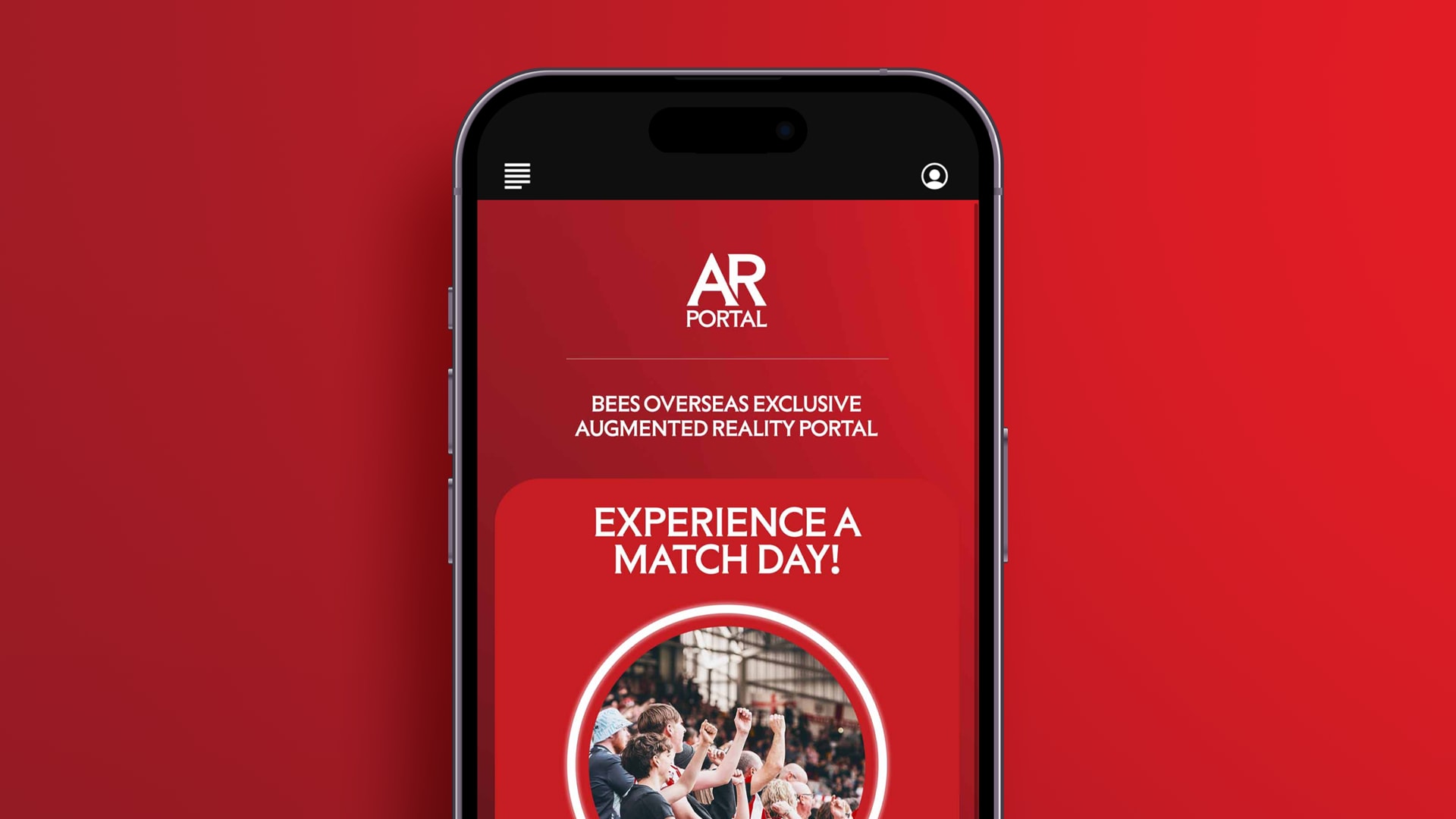
Bees Overseas

Find out where overseas Bees are located using the International Supporters’ Club Map, making it easy to find Bees fans near you!

Bees Overseas members also have exclusive access to an augmented reality portal where they can experience the pre match atmosphere from the West Stand!

Please note: Supporters who already have the Brentford FC Official app will need to update the app. This will be done automatically if you have automatic updates switched on, on your device. If not, to get the new version update the app via the App Store or Google Play Store.

App FAQs

  • You can cast videos and live streams of games from the app to your TV if you have a Chromecast extension

  • Make sure you have the latest version of the app downloaded by either updating the app or deleting the app and reinstalling it

  • After downloading, you will receive a prompt asking to track your usage on the app. Allow app tracking and accept all permissions on the privacy notice screen.

  • Connect both your iPhone and Chromecast to the same Wi-Fi network.

  • Ensure the Chromecast and iPhone are within a reasonable range of the router for a strong signal.

  • When you play a video, you should see a Chromecast icon in the upper right corner of the video (if your Chromecast is connected to your Wi-Fi). Tap the icon and cast the video.

  • If you are still having issues, restart your mobile device and router and try the steps again.

  • Tap your profile icon in the top-right corner of the app.

  • Go to Settings.

  • Toggle categories off (grey) to stop notifications or on (red) to receive them.

Log into your Bees account on the website (not the app)

Select ‘My Account’ in the top right-hand corner of the browser

Select ‘Update profile’ on the menu and edit your details and permissions

To change other account information, like email address or date of birth, please contact [email protected].

No, you can use the app without signing in, but signing in gives you the best experience as we can personalise your notifications and you can access new features, like The Predictor

Yes, we use a single sign-on process for the app, our website and our ticketing site.

You can access your digital tickets on the app. We have created a guide on how to do this, which you can view on our website.

We are working towards a solution for fans to see their rolling TAPs number on the Brentford FC official app. In the meantime, please access this information via https://www.eticketing.co.uk/brentfordfc

  • Live match audio will be available for games where possible

  • Open the Match Hub in the app

  • Select Watch/Listen Live during the game

  • Live match updates appear on your lock screen starting one hour before kick-off.

  • If you don’t want updates, reject the live activity when prompted on lock screen

Yes, but you will need to open the pages you want to view beforehand so they’re saved on your device.

Brentford FC official app FAQs

You do not need to sign in or sign up to to a Bees account to use the app. However, you will have the best experience if you do. We will be able to tailor your version of the app to you, for example notifications around digital tickets.

Yes, the app uses the single sign-on process.

To change your account information, like email address, please contact [email protected].

  • To personalise your notifications, select the profile icon in the top right hand corner of the app.

  • Then, select ‘settings’, and swipe the categories off (to grey) if you do not wish to receive notifications, or on (to red) if you do wish to receive

For information on how to access digital tickets from the app click here.

To listen to live audio, select ‘Match Hub’ located on the bottom navigation bar and select ‘Watch/Listen live’

  • Live match activities show up on lock screens within 1 hour before kick-off

  • When a user wants to get rid of them, they can simply reject getting the activities